
Fusion Zero
Document register
- Poster1 pagePublished
- Presentation videoYouTubePublished
- Bill of materials8 KBPublished
- Team description paperNot shared
- Engineering journalNot shared
- Source code25.6 MB · GitHubPublished
Sharing each document is the team's decision. “Not shared” means this team chose not to publish it, or did not submit one — not that it is missing from the archive.
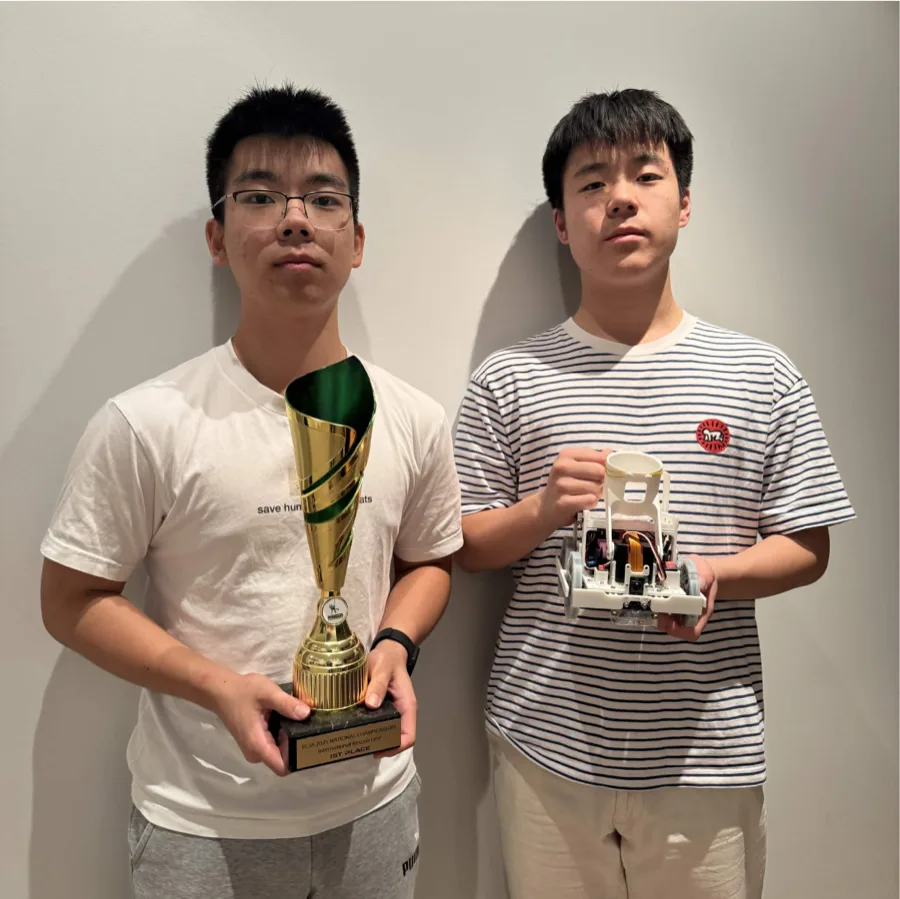
In their words
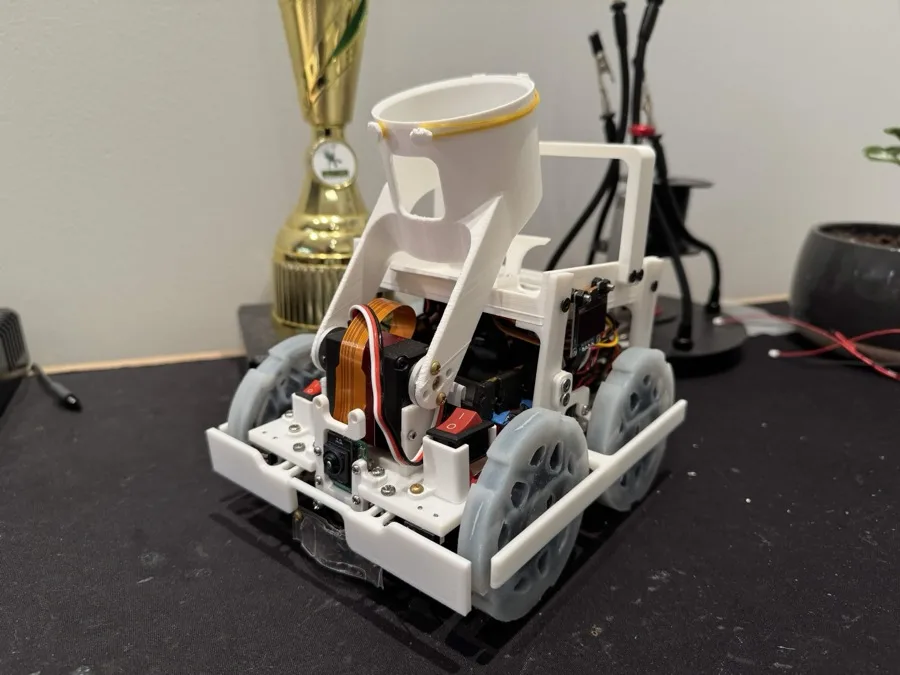
Fusion Zero’s 2026 robot is a compact RoboCupJunior Rescue Line robot designed around reliable sensing, modular software, and fast repairability. The robot uses a Raspberry Pi 5 as its main controller, with a Raspberry Pi Camera Module 3 Wide and Raspberry Pi AI Camera for visual line, colour, and evacuation-zone processing. Three VL53L0X time-of-flight sensors provide distance feedback for wall following, obstacle handling, and victim approach, while a BNO085 IMU gives yaw, pitch, and roll data for accurate turns and terrain awareness. The drive system uses four Pololu 380:1 micro metal gearmotors controlled through TB6612FNG motor drivers, powered by a 3S 18650 battery system.
What sets the robot apart is its rescue-zone design. The robot uses a two-servo victim mechanism that can grab, store, sort, and release victims without being restricted to a specific collection order. This is supported by a compact single-servo dump mechanism, reducing mechanical complexity while keeping control over which victim is released. For victim detection, the robot combines a custom AI model with an additional reflection-based validation method: bright light patches on silver victims are used to double-check live-victim confidence and reduce false detections. A custom PCB, secure connectors, and modular software make the robot easier to debug, repair, and improve during competition.
Poster
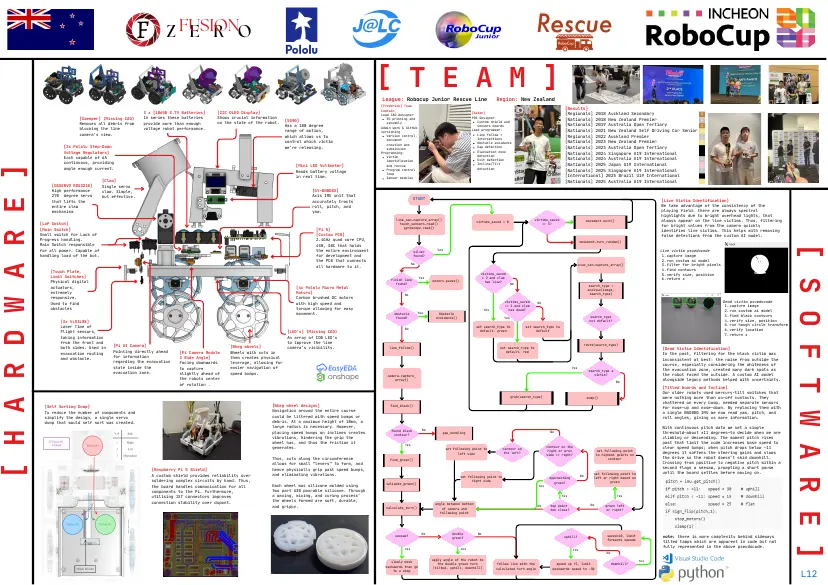
Read the text of this document — 1107 words
Z FUSION
E R O
[ T E A M ]
League: Robocup Junior Rescue Line Region: New Zealand
[Frederick] Team
Captain [Results]
3 x [18650 3.7V Batteries] [I2C OLED Display] Lead CAD designer [Aidan] [Regionals] 2018 Auckland Secondary 3
[Sweeper] (Missing CAD) In series these batteries Shows crucial information 3D printing and PCB Designer
[Nationals] 2018 New Zealand Premier 2
[SG90] Custom shield and
Removes all debris from provide more than enough on the state of the robot. assembly
[Nationals] 2019 Australia Open Tertiary
Has a 180 degree sensors boards 3
voltage robot performance. Admin work & GitHub
blocking the line Lead programmer: [Nationals] 2021 New Zealand Self Driving Car Senior 1
range of motion, versioning
camera’s view. Line follow +
which allows us to Version control, [Regionals] 2022 Auckland Premier 2
document intersections
control which victim Obstacle avoidance [Nationals] 2023 New Zealand Premier 1
creation and
[2x Pololu Step-Down we’re releasing. submission Gap detection [Nationals] 2023 Australia Open Tertiary
Voltage Regulators] Evacuation zone
Programming: [Nationals] 2024 Singapore U19 International
detection
Each capable of 6A Victim
[Nationals] 2024 Australia U19 International 2
identification Exit detection
continuous, providing Incline/Tilt [Nationals] 2025 Japan U19 International 4
[ H A R D W A R E ]
[Mini LED Voltmeter] and rescue
ample enough current. Program control detection
[Nationals] 2025 Singapore U19 International 2
Reads battery voltage
loop
in real time. [International] 2025 Brazil U19 International
Sensor modules
[Claw] [Nationals] 2025 Australia U19 International 1
[DSSERVO RDS3218] Single servo
High performance claw. Simple, [GY-BN0O8X]
270 degree servo but effective. Axis IMU unit that
START [Live Victim Identification]
that lifts the accurately tracts
entire claw roll, pitch, and We take advantage of the consistency of the
mechanism yaw. playing field: there are always spectral
highlights due to bright overhead lights, that
line_cam.capture_array() victims_saved always appear on the live victims. Thus, filtering
victims_saved = 0 movement.exit()
[LoP Switch] touch_sensors.read() == 3?
for bright values from the camera quickly
[Main Switch] gyroscope.read()
[Pi 5] identifies live victims. This helps with removing
Small switch for Lack of [Custom PCB] false detections from the custom AI model.
Progress handling. 2.4GHz quad core CPU, movement.turn_random()
Main Switch responsible 4GB, SBC that holds
[ S O F T W A R E ]
for all power. Capable of the entire environment silver
Yes Live victim psuedocode
handling load of the bot. for development and found? 1.capture image
the PCB that connects 2.run custom ai model
No evac_cam.capture_array() 3.filter for bright pixels
all hardware to it.
4.find contours
[Touch Plate, victims_saved 5.verify size, position
Limit Switches] Yes < 2 and claw
finish line 6.return x
Physical digital motors.pause() has live?
found? No
actuators, [4x Pololu Micro Metal search_type =
analyse(image,
extremely Motors] No search_type)
responsive. Carbon brushed DC motors
Used to find with high speed and victims_saved No Dead victim psuedocode
== 2 and claw 1.capture image
obstacles torque allowing for easy Yes has dead?
Yes 2.run custom ai model
movement. obstacle Obstacle
3.find black contours
found? Avoidance() Yes search_type
[3x VL53L0X] not default? 4.verify size, position
5.run hough circle transform
Laser Time of No
set search_type to set search_type to
default, green default 6.verify location
Flight sensors, [LED’s] (Missing CAD)
7.return x
taking information An array of COB LED’s
from the front and to improve the line
[Pi AI Camera] route(search_type)
both sides. Used in [Wheg wheels] camera’s visibility. line_follow() set search_type to
[Dead Victim Identification]
evacuation routing Pointing directly ahead [Pi Camera Module Wheels with cuts in default, red
In the past, filtering for the black victim was
and obstacle. for information 3 Wide Angle] them creates physical inconsistent at best: the noise from outside the
regarding the evacuation Facing downwards leverage, allowing for course, especially considering the whiteness of
state inside the to capture easier navigation of Yes
search_type a the evacuation zone, created many dark spots as
evacuation zone. slightly ahead of speed bumps. the robot faced the outside. A custom AI model
camera.capture_ victim?
the robots center array() alongside legacy methods helped with uncertainty.
No
of rotation .
[Titled boards and Incline]
Our older robots used mercury-tilt switches that
grab(search_type) dump() were nothing more than on-off contacts. They
chattered on every bump, needed separate sensors
[Self Sorting Dump] [Wheg wheel designs] find_black() for nose-up and nose-down. By replacing them with
To reduce the number of components and Navigation around the entire course a single BNO080 IMU we now read yaw, pitch, and
simplify the design, a single servo could be littered with speed bumps or roll angles, giving us more information.
dump that would self sort was created. debris. At a maximum height of 10mm, a
large radius is necessary. However, With continuous pitch data we set a simple
found black No
placing speed bumps on inclines creates gap_handling No threshold—about ±11 degrees—to decide when we are
contour?
vibrations, hindering the grip the climbing or descending. The moment pitch rises
wheel has, and thus the friction it past that limit the code increases base speed to
Yes contour on the
generates. set following point to contour on clear speed bumps; when pitch drops below –11
right or prev set following point
left side the left? side == right? to highest points on
degrees it softens the steering gains and slows
Thus, cuts along the circumference find_green() contour the drive so the robot doesn’t skid downhill.
allows for small “levers“ to form, and Crossing from positive to negative pitch within a
hence physically grip past speed bumps, second flags a seesaw, prompting a short pause
[Raspberry Pi 5 Shield]
and eliminating vibrations. set following point to until the board settles before moving on.
A custom shield provides reliability over set following point to No
approaching left or right based on
soldering complex circuits by hand. Thus, right side green? green
Each wheel was silicone molded using validate_green()
the board handles communication for all Yes
components to the Pi. Furthermore, two part A30 pourable silicone. Through
utilising JST connectors improves a waxing, mixing, and curing process’ Yes Yes
connection stability over dupont. the wheels formed are soft, durable,
angle between bottom No
and grippy. calculate_turn() of camera and
No top point green left
too close? or right?
following point
No double No
seesaw? speed=10, limit
green? uphill? note: there is more complexity behind sideways
forwards speeds
tilted tamps which are apparent in code but not
Yes Yes
fully represented in the above pseudocode.
Yes
No
apply angle of the robot to Yes
slowly move downhill?
the double green turn follow line with the speed up +5, limit
backwards then go
(tilted, uphill, downhill) calculated turn angle backwards speed to -30
L12
to a stop
1 page, rendered as images so they load quickly. The text above is the document's own, extracted from the PDF.
Presentation video
Hosted on YouTube. The player loads only when you press play.
Bill of materials
Shown as the original PDF, because this one is smaller that way and its text stays selectable and searchable.
Source code
The team's own source code, 25.6 MB. It is a download rather than part of this page, because a zip is something you open on your computer. It comes from GitHub, which some school networks block.